Guided practice
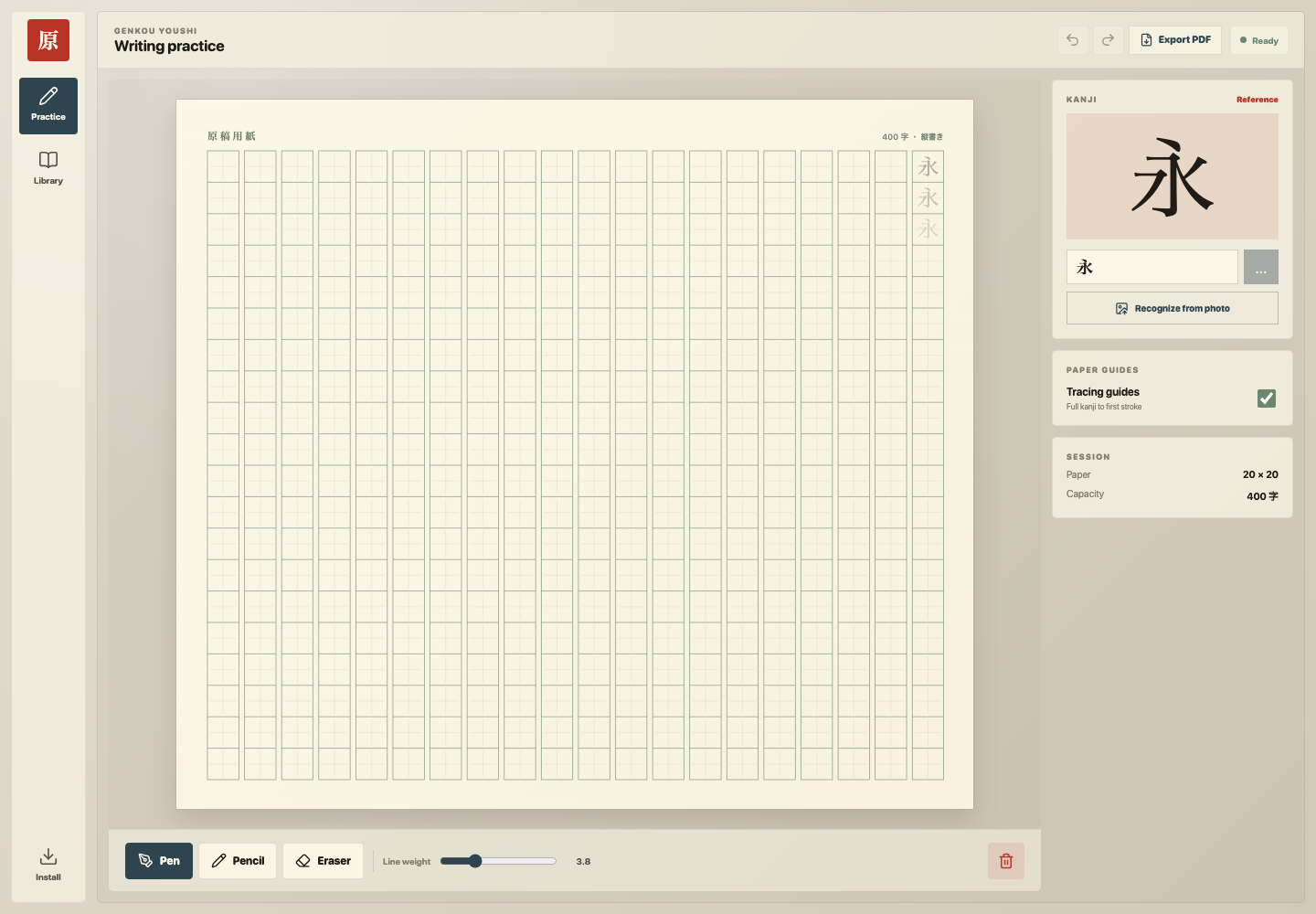
Choose any kanji and follow progressive stroke-order references as you write across the page.
A quieter place to practice
A focused handwriting workspace inspired by traditional manuscript paper—complete with stroke-order references, drawing tools, and sheets that stay on your device.
Everything you need
Simple tools that keep your attention on the page, not the interface.
Choose any kanji and follow progressive stroke-order references as you write across the page.
Write with a pen or pencil, then refine with the eraser. Adjust line weight until every stroke feels right.
Not sure what a character is? Upload a clear photo and choose from the closest matches.
Create as many sheets as you need. They save automatically in your browser and are ready when you return.
Keep a clean record, print your work, or share a finished practice sheet in just a few clicks.
Your practice ritual
Open a fresh sheet and begin. Genkou Youshi keeps the process intentionally simple.
Open a fresh sheetStart with a standard 20 × 20 sheet or a compact 10 × 20 grid.
Type a kanji or recognize one from a photo to load its reference.
Practice with tracing guides, adjust your tools, then save or export the result.
A page with purpose
Genkō yōshi—literally “manuscript paper”—has long given Japanese writing a measured rhythm. Each square holds one character, making spacing and composition visible.
This digital version preserves that structure while adding the tools a modern learner needs. No clutter. No streaks to maintain. Just a considered space to return to your writing.
Good to know
No. Open the app and start practicing immediately. Your sheets are stored locally in your current browser.
Yes. The workspace is responsive and installable from supported browsers. A tablet and stylus offer the most natural writing experience.
Your sheets stay in your browser’s local storage. Clearing site data removes them, so export important work as a PDF backup.
Yes. Use Export PDF, then save or print through your device’s standard print dialog.
Your next page is blank
Pick a character. Take your time. Fill one square, then the next.
Start practicing